Creating a 3D model doesn’t always have to start with a blank workspace.
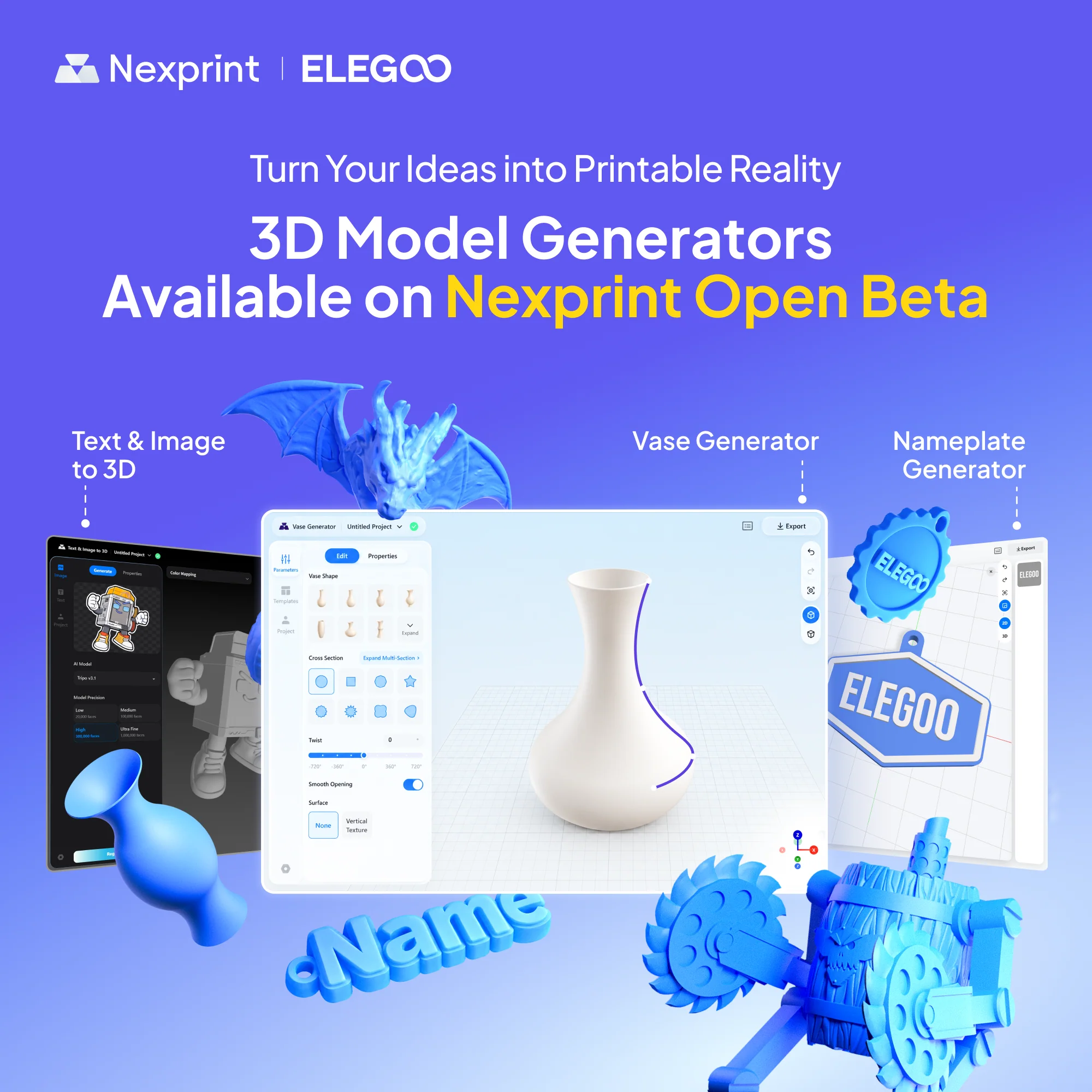
On September 15, Nexprint launched three new 3D model generators, making it easier to create custom, 3D-printable models without starting from scratch. Whether you want to design a unique vase, make a personalized nameplate, or turn an idea into a 3D model with AI, you can now get started directly from Workshops on the Nexprint homepage.
Three Generators, More Ways to Create
Vase Generator Create custom vases and other hollow containers by combining side profiles and cross sections. Adjust parameters such as height, diameter, twist, and surface effects to shape your design. For more complex forms, Multi-Section Mode lets you add and edit multiple cross sections at different heights, while 2D and 3D editing gives you more control over the final shape.
Nameplate Generator Design personalized nameplates, badges, signs, and more with an easy 2D layout workflow. Start with a preset template or customize the base plate, then add text, shapes, or SVG graphics. Components can be positioned, resized, rotated, and given raised or recessed effects before you export the finished model for 3D printing.
Text & Image to 3D Have an idea but don’t know how to model it? Text & Image to 3D uses AI to generate 3D models from either a reference image or a text description. After generation, you can adjust the model’s size, scale, rotation, position, and Print Color settings before exporting it for 3D printing.
Sources Elgoo
 PrintZilla
0 Comments
No comments yet. Be the first to share your thoughts.
Leave a comment
Your email address is never published. Comments are reviewed before they appear.